

1. Log in XRCLOUD.com, and enter the console.
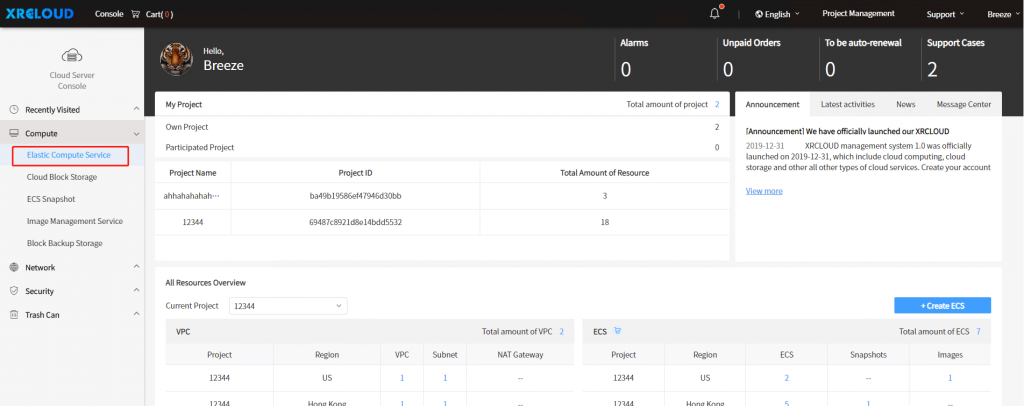
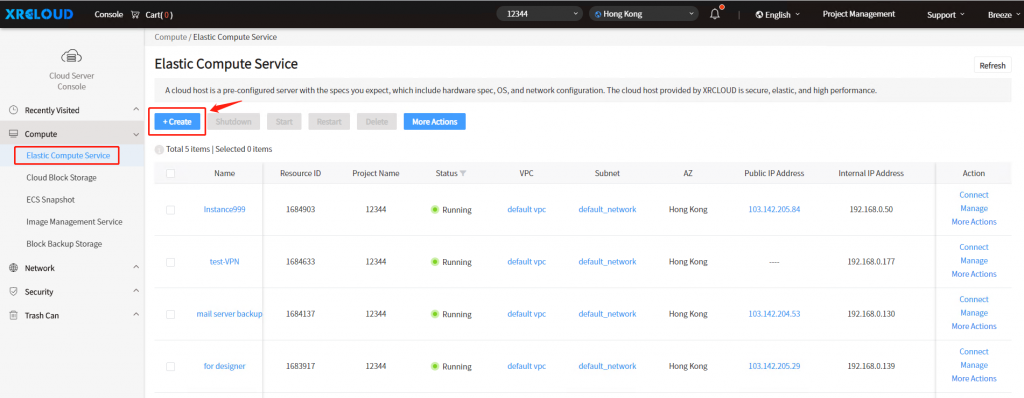
2. Go to the Elastic Compute Service console, then click the [Create] button.
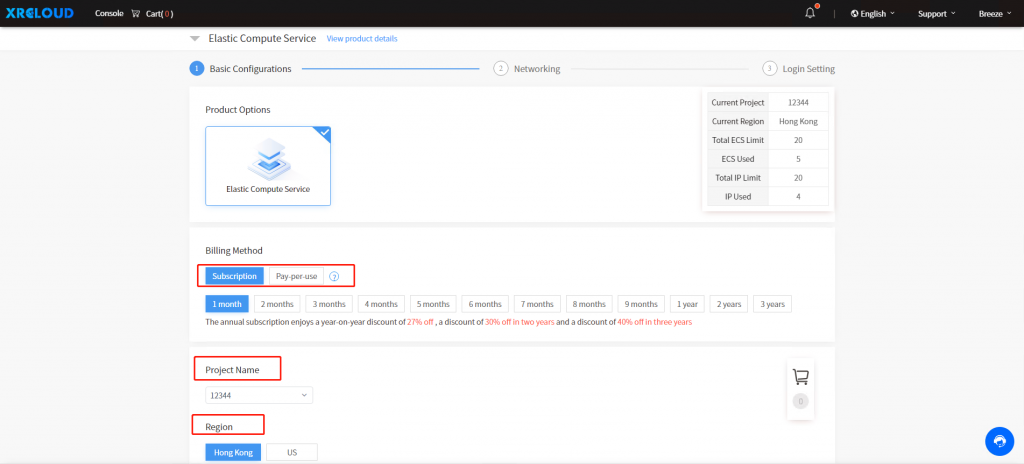
3. Select your preferred Instance Type, project name, billing method, and region.
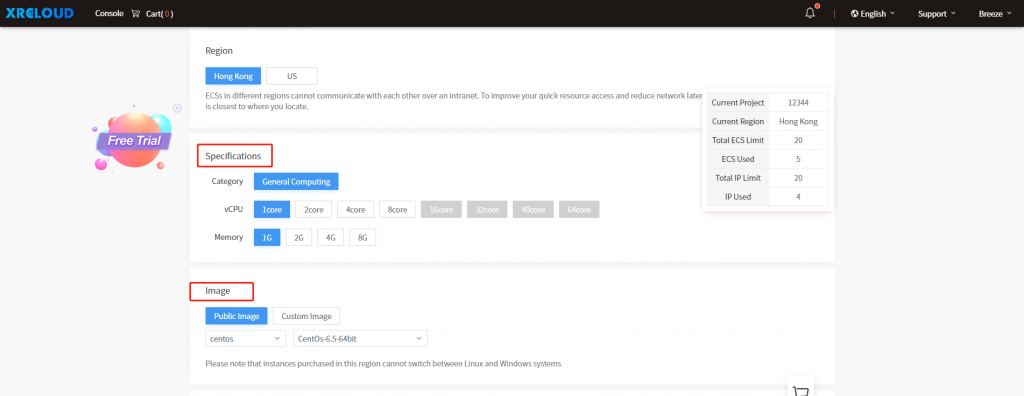
4. Select image and Instance configuration.
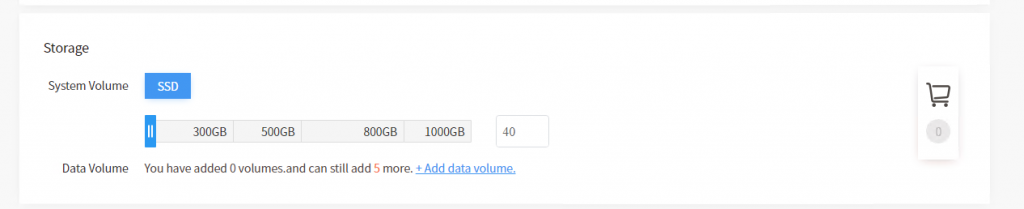
5. Select system volume or data volume. Please note that you need to set your data volume.
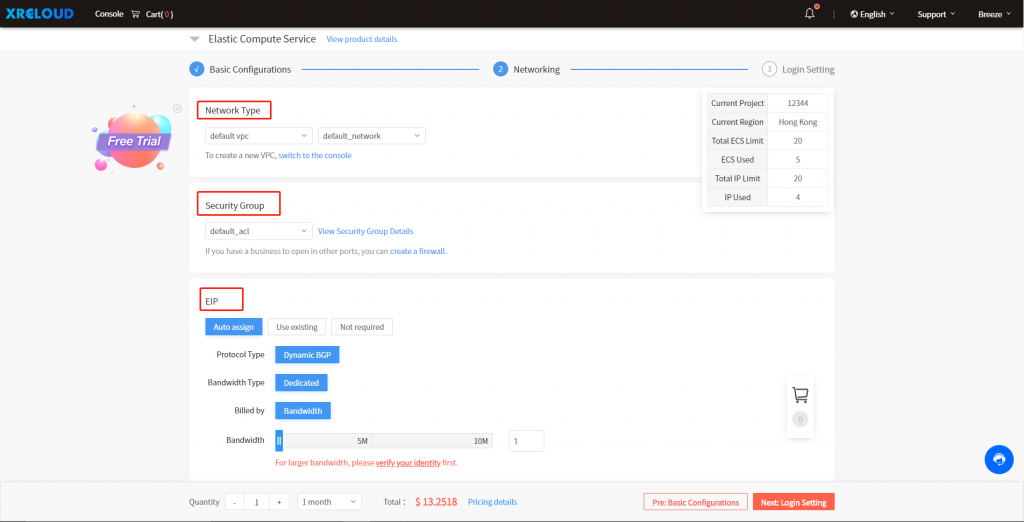
6. Click next: networking, and select VPC, security group, and bandwidth.
7. Click next: login setting, fill in the hostname and set the password.
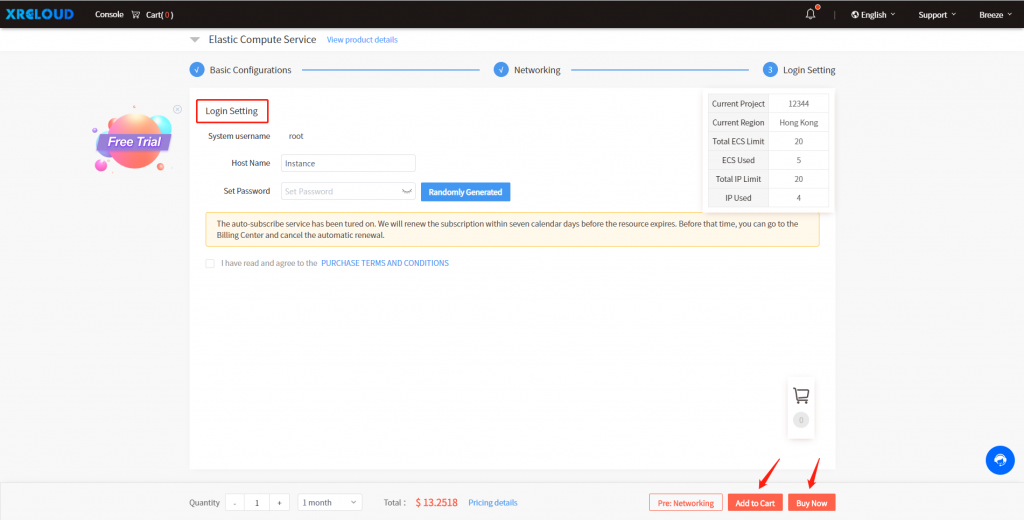
8. After you click agree to the PURCHASE TERMS AND CONDITIONS, you can choose to add it to cart or buy now.
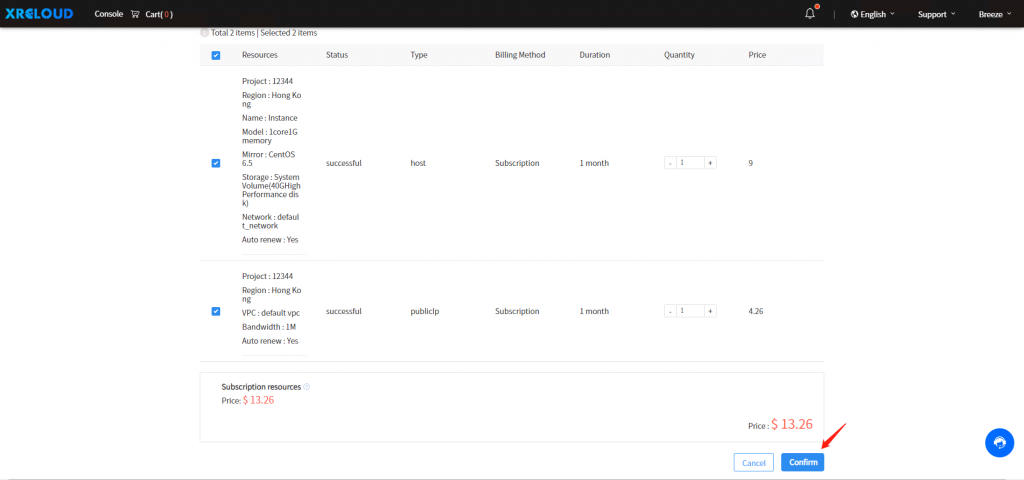
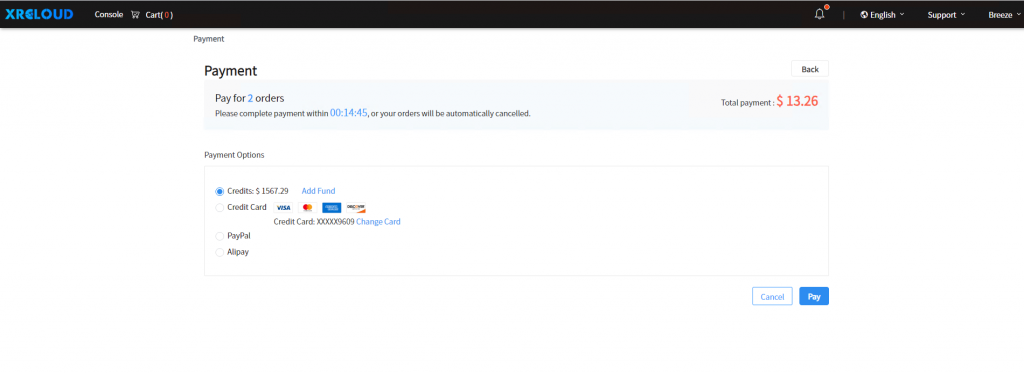
9. Please confirm your order, and choose your preferred payment method to complete the order.
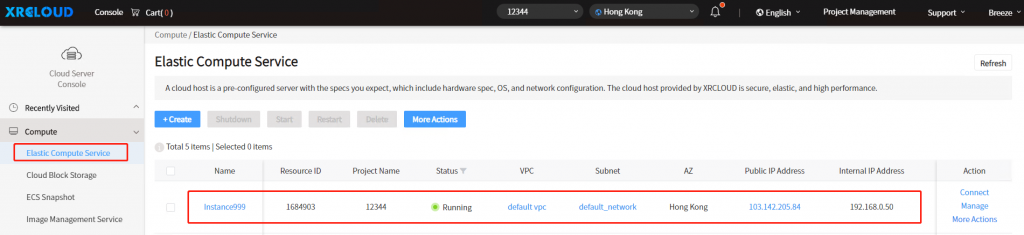
10. Finally, the launch is successful. You will see your ECS in the Elastic Compute Service Console.



No comments